Sygic Truck & Caravan Navigation uses two primary screens. This article explains the main elements available on each screen.
Map screen - when exploring the map, searching for destinations and planning routes before navigation begins.
Map screen
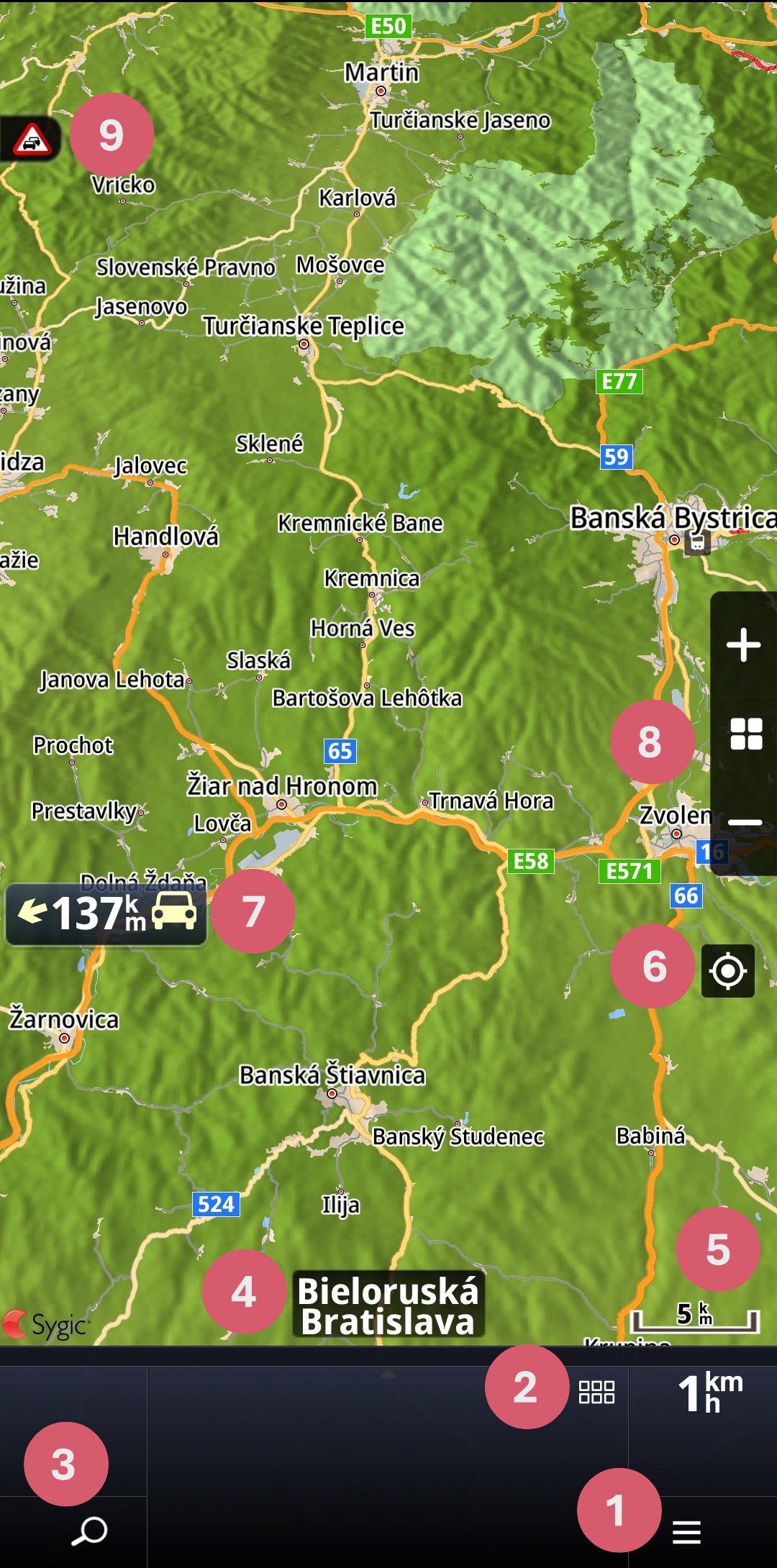
1. Menu
3. Search
4. Current street
5. Map scale
6. Return to current location
7. Direction and distance indicator to current location
8. Zoom and switch between 2D and 3D views
9. Traffic service indicator
Navigation screen
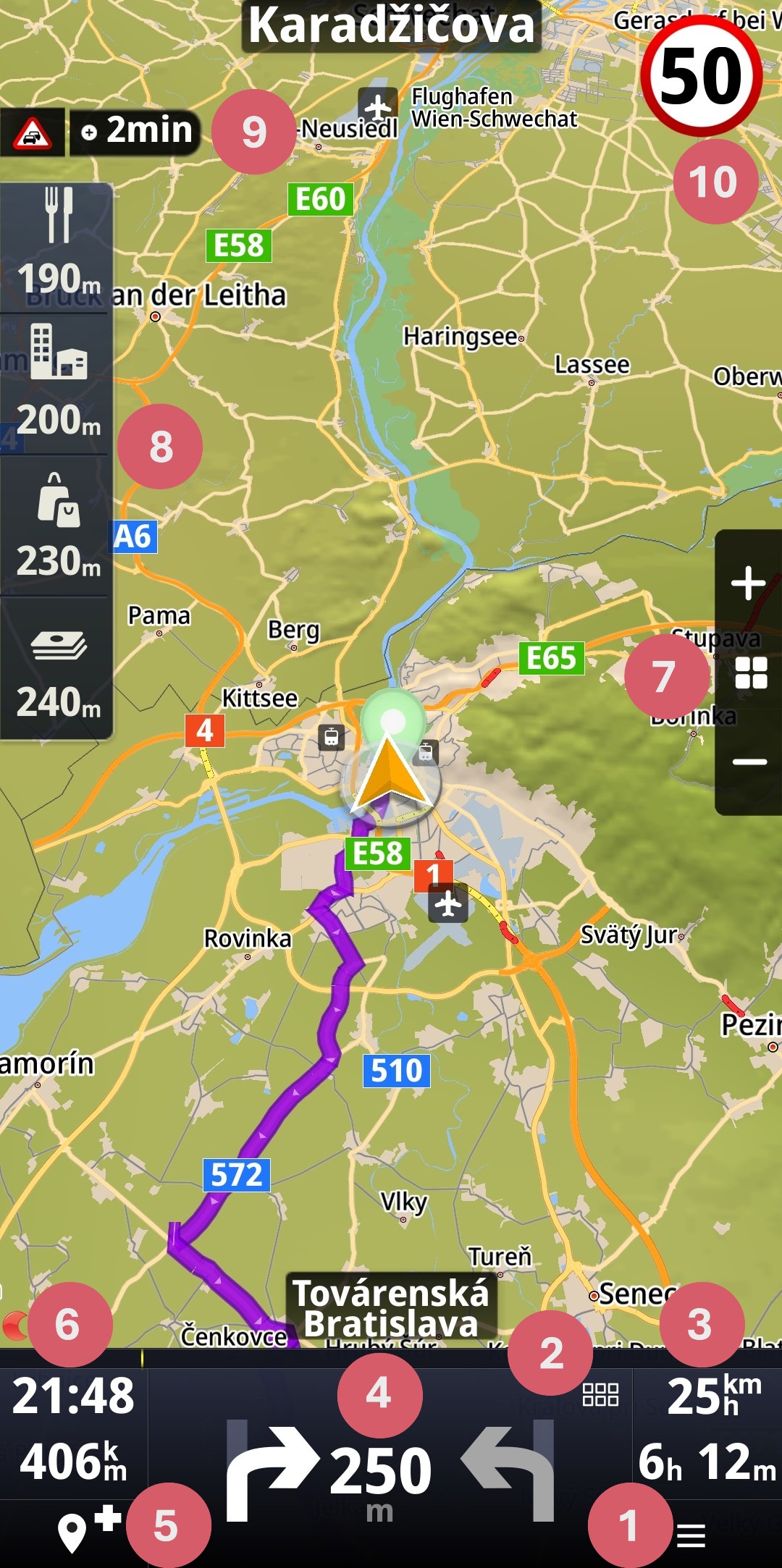
1. Menu
3. Customizable information bar (e.g., current speed and journey time)
4. Turn by turn instructions and Next turn indicator (if the distance between maneuvers is short)
5. Add waypoint
6. Customizable information bar (e.g., estimated time of arrival and distance to destination)
7. Zoom and switch between 2D and 3D views
9. Traffic indicator with delay indicator on the route
10. Current speed limit